Citation and References
Understanding Academic Citation in Elumity
Academic credibility depends on proper citation practices and Elumity provides a comprehensive reference management system that ensures accuracy and consistency throughout your scholarly work. Rather than treating citations as an afterthought, Elumity integrates reference management into every aspect of your research workflow.
The Integrated Reference Architecture
Elumity's reference system operates across multiple modules, creating connections that support your entire research workflow. When you add a reference in one module, it becomes available throughout the system, preventing duplication and ensuring consistency.
Your Files often connect to reference entries that contain complete bibliographic information. Knowledge Cards can cite these same references, maintaining the connection between your insights and their sources.
This architectural approach means you build your reference library once and use it everywhere, saving time and reducing errors while maintaining scholarly standards across all your academic work.
The References Module: Your Citation Command Center
The References module serves as the central hub for managing your complete citation library, providing tools for importing, organizing and formatting references from multiple sources.
Navigate to the References module using the main navigation bar. Unlike other modules that primarily display your content, the References module provides active tools for building and maintaining your citation library.
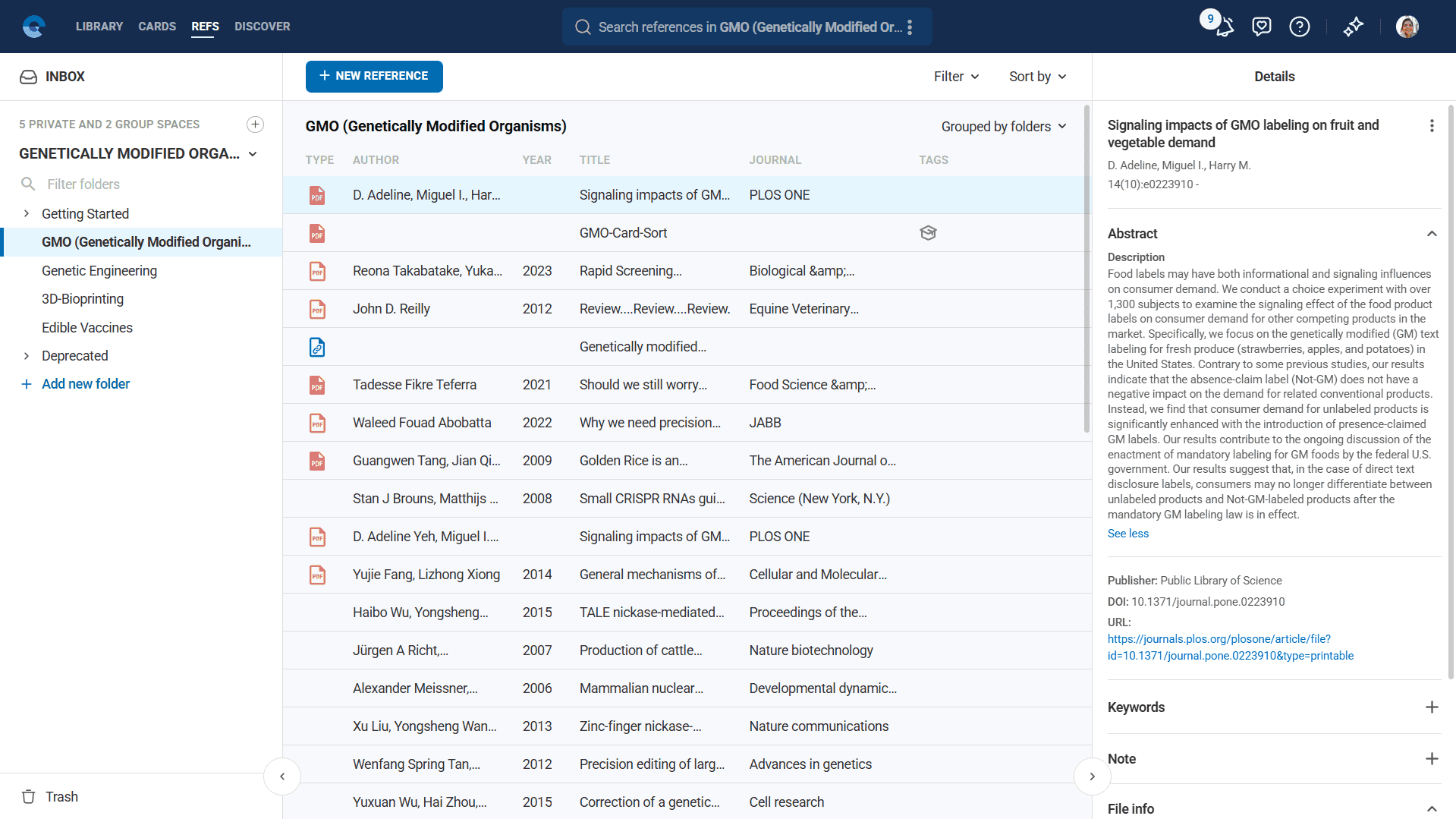
The interface displays your existing references in a searchable list format, with each entry showing essential citation information including authors, title, publication year and source. Visual indicators show which references are linked to PDF documents in your Files, helping you identify which sources you have full access to.
Adding References from Academic Databases
Academic research requires access to peer-reviewed sources and Elumity provides direct integration with major academic databases to ensure accurate, complete citation information.
OpenAlex Database Integration
Click "New Reference" and select "Add Reference" to access Elumity's primary academic database integration. By default, the system searches OpenAlex, which indexes millions of scholarly articles across all academic disciplines.
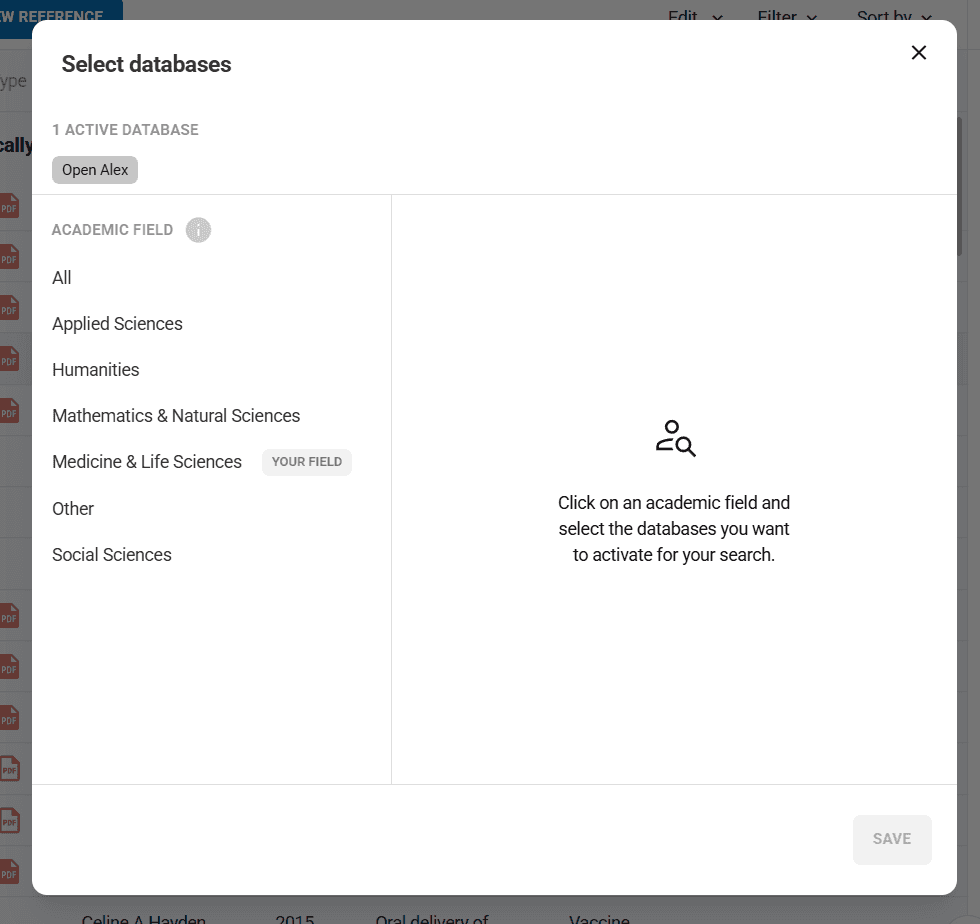
OpenAlex provides comprehensive coverage of academic literature including journal articles, conference papers and other scholarly publications. The database includes both recent publications and historical academic works, making it suitable for research across different time periods.
Enter specific search terms rather than broad topics for better results. Use author names, distinctive title words, or specific research concepts. For example, search "machine learning medical diagnosis 2023" rather than just "machine learning" to find specific recent research on that topic.
The search results display complete bibliographic information including authors, publication dates, journal names and abstracts when available. Review results carefully to ensure you're selecting the exact source you need, as similar titles or authors can appear in search results.
PubMed Integration for Medical Literature
For medical and life sciences research, click "PubMed" to access the National Library of Medicine's comprehensive biomedical database. PubMed provides the most authoritative access to medical literature including clinical studies, systematic reviews and biomedical research.
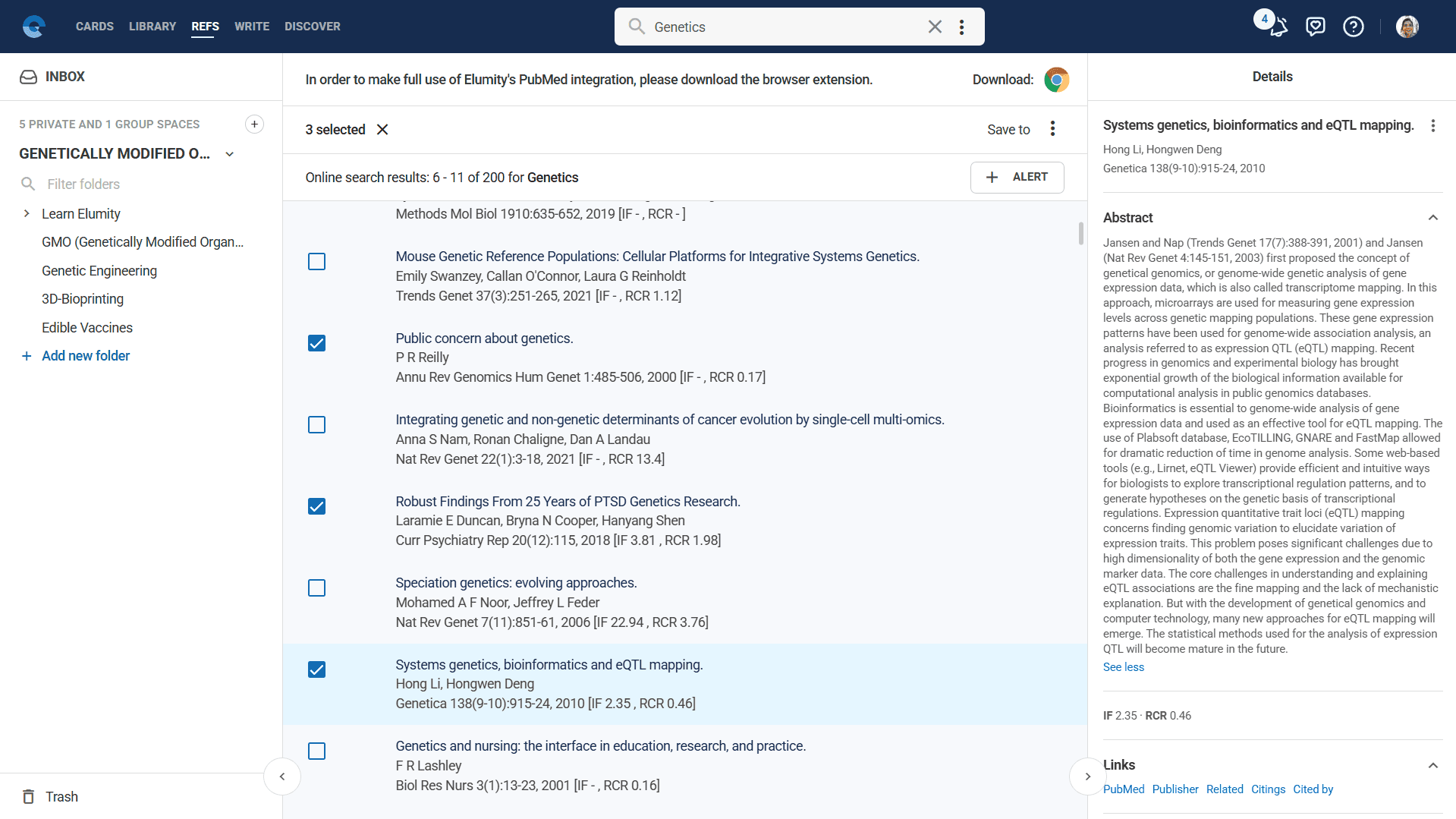
PubMed searches work similarly to OpenAlex but focus specifically on biomedical content. Use MeSH (Medical Subject Headings) terms when possible for more precise results. For example, use "diabetes mellitus type 2" rather than "diabetes" to find more targeted research results.
PubMed integration includes access to PMC (PubMed Central) full-text articles when available and provides direct links to publisher pages for accessing complete papers through your institutional subscriptions.
Database Search Strategies
Develop effective search strategies to find the most relevant sources efficiently. Start with specific terms and broaden your search if you don't find adequate results. Combine author names with key concepts, or use distinctive phrases from papers you're trying to locate.
Use multiple searches with different term combinations to ensure comprehensive coverage of your research topic. Academic databases may index the same paper differently, so varied search approaches help ensure you find all relevant sources.
Creating Custom References
Not all valuable academic sources appear in major databases. Government reports, institutional publications, conference presentations and other materials require manual citation entry.
Manual Reference Creation
Select "Custom Reference" from the new reference options to manually create citations for sources not available in academic databases. Choose the appropriate reference type from the comprehensive list including journal articles, books, book chapters, conference papers, websites, government documents and other publication types.
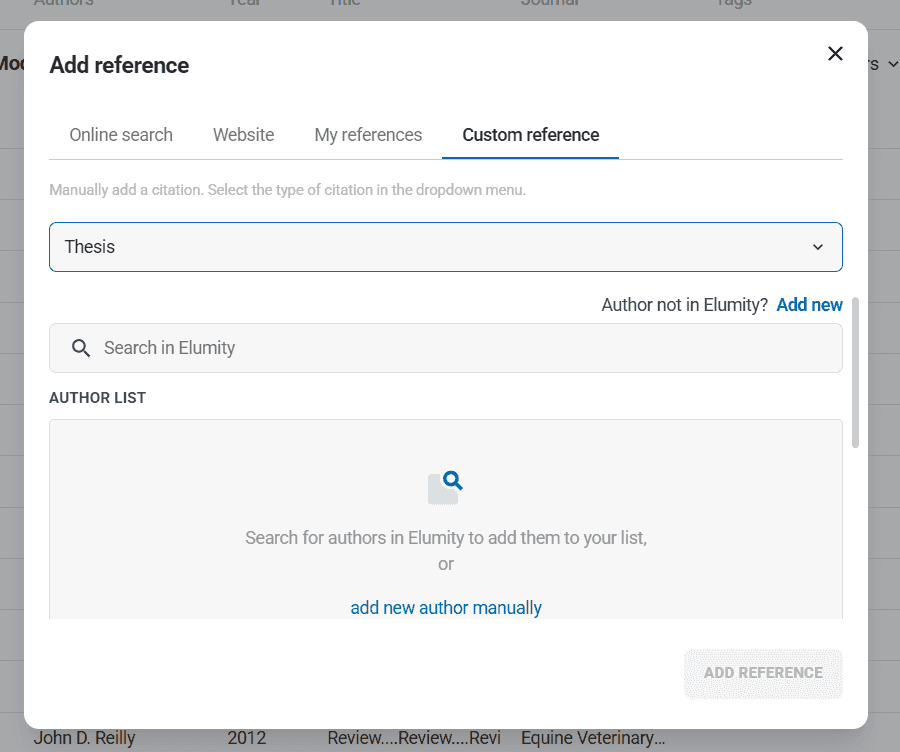
Each reference type presents appropriate fields for that source category. Journal articles require volume and issue numbers, while books need publisher information. Government documents might need report numbers and agency information.
Complete as many fields as possible to create comprehensive citations that meet academic standards. Include DOI information when available, as this provides permanent links to sources and ensures citation accuracy over time.
Website and Online Source Citation
For web-based sources, select "Website" from the reference creation options. Enter the complete page title as it appears on the website, along with the full URL and access date.
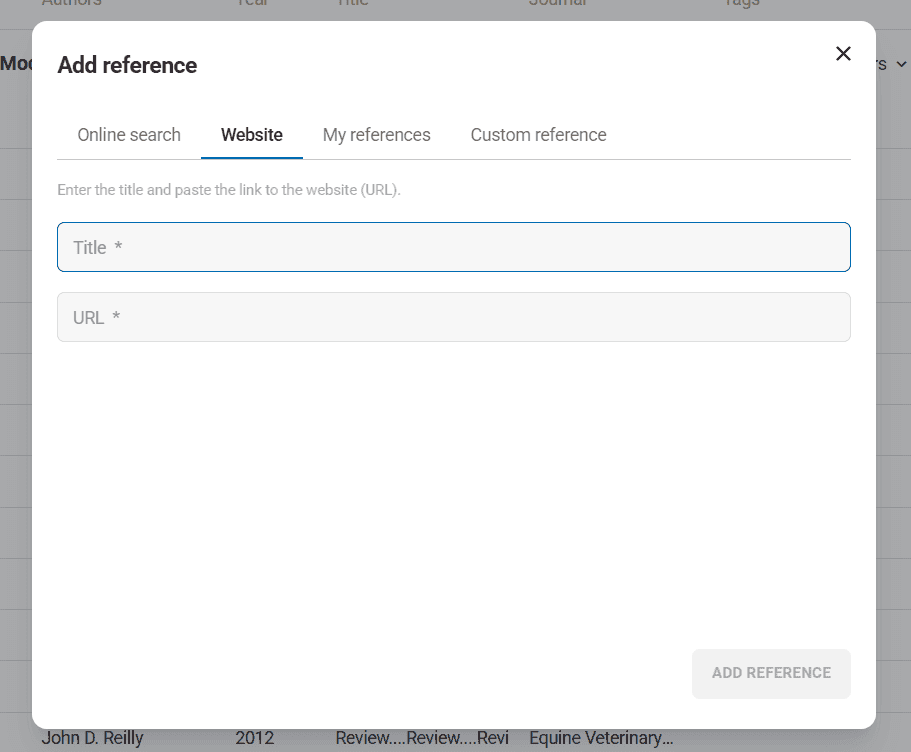
Include author information when available and note the publishing organization or website name. For news articles, blog posts, or other dated online content, include publication dates when available.
Be selective about online sources for academic work, prioritizing government websites, educational institutions, established news organizations and recognized authorities in your field over personal blogs or commercial sites.
Reference Import and File Management
When transitioning from other reference management systems or collaborating with researchers using different tools, Elumity's import capabilities ensure you can incorporate existing citation libraries efficiently.
BibTeX and RIS Import
Click "Import references from file" to upload citation libraries from other reference management systems. Elumity supports standard academic formats including BibTeX (.bib) and RIS (.ris) files commonly used by reference managers like Zotero, Mendeley and EndNote.
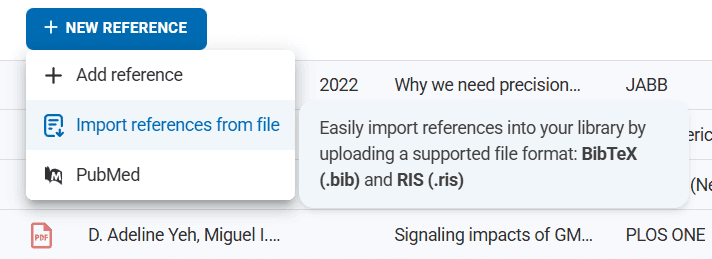
Select your citation file using the file picker and Elumity processes the imported references, adding them to your reference library while checking for duplicates and formatting inconsistencies.
Review imported references to ensure accuracy, as different systems may export citation information with varying levels of completeness or formatting standards.
Existing Reference Integration
The "My References" option in reference dialogs shows citations you've previously added to your Elumity library, making it easy to reuse sources across multiple projects without duplicating effort.
This integration is particularly valuable when working on related research projects or when building comprehensive literature reviews that reference sources used in previous work.
Citation Style Management
Academic disciplines use different citation formats and Elumity's extensive style library ensures your citations match the requirements of any publication venue or institutional standard.
Comprehensive Style Library
Elumity supports over 10,000 citation styles covering major academic disciplines and specialized publication requirements. Access style selection through the "Reference Options" in any reference entry.
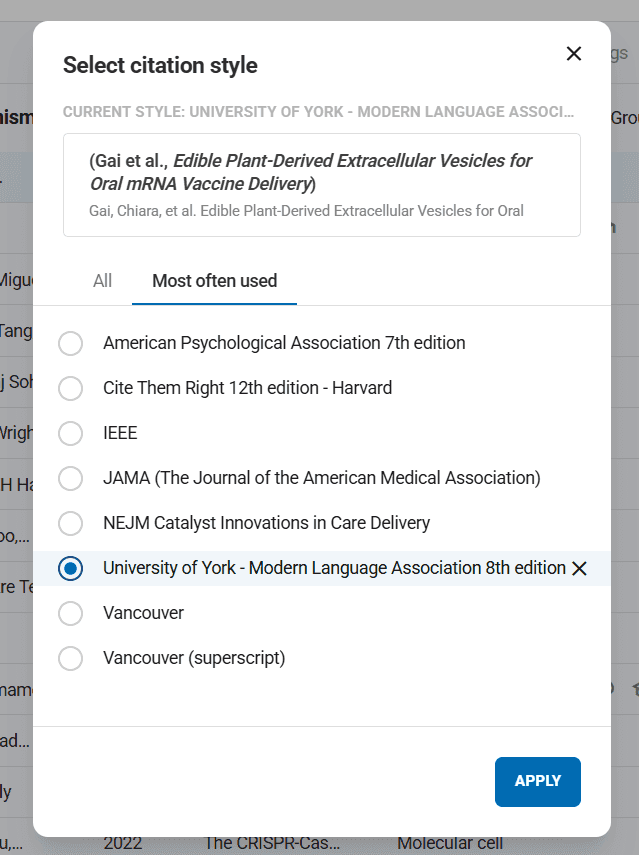
Common styles include:
APA (American Psychological Association) used in psychology, education and social sciences, emphasizing author-date citation format.
Chicago Manual of Style popular in history, literature and humanities, offering both notes-bibliography and author-date systems.
MLA (Modern Language Association) standard in literature, language studies and cultural studies, using author-page citation format.
IEEE required in engineering and computer science publications, using numbered citation systems.
JAMA (Journal of the American Medical Association) standard for medical research publications, using numbered citations with specific formatting requirements.
Style Customization and Selection
Search for specific journal styles using the style selection interface. Many journals have their own citation requirements and Elumity's database includes styles for thousands of academic publications.
When selecting styles, consider your target publication venue and ensure the style matches current requirements. Journal citation requirements can change, so verify current standards when preparing manuscripts for submission.
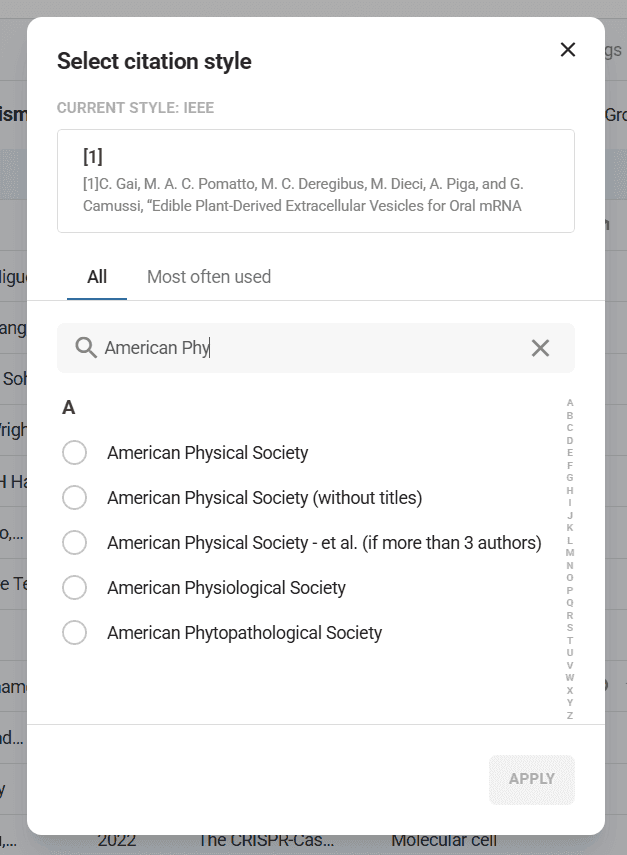
Set default citation styles for different types of work to maintain consistency across projects while allowing flexibility for different publication requirements.
Reference Organization and Management
As your citation library grows, effective organization becomes crucial for maintaining efficiency and ensuring you can find relevant sources quickly.
Hierarchical Reference Organization
References in Elumity follow the same organizational structure as your other materials, using spaces and folders to create logical groupings. Organize references by research project, topic area, methodology, or any other categorization that matches your research workflow.
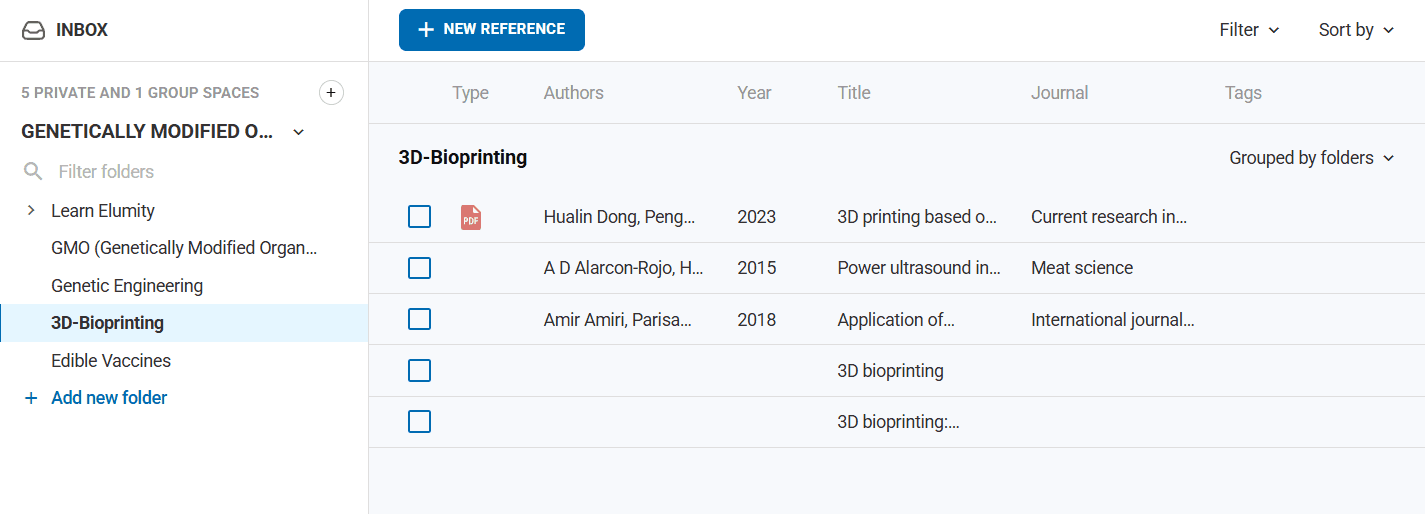
Create dedicated folders for different research projects to keep citations organized and prevent confusion when working on multiple papers simultaneously. Use consistent naming conventions that will make sense to you over time.
Reference Metadata and Enhancement
Each reference entry can be enhanced with additional metadata including keywords, notes and custom tags that help with organization and retrieval.
Add keywords that describe the research methodology, subject area, theoretical framework, or other aspects that will help you find related sources later. Include notes about the source's relevance to specific projects or its relationship to other sources in your library.
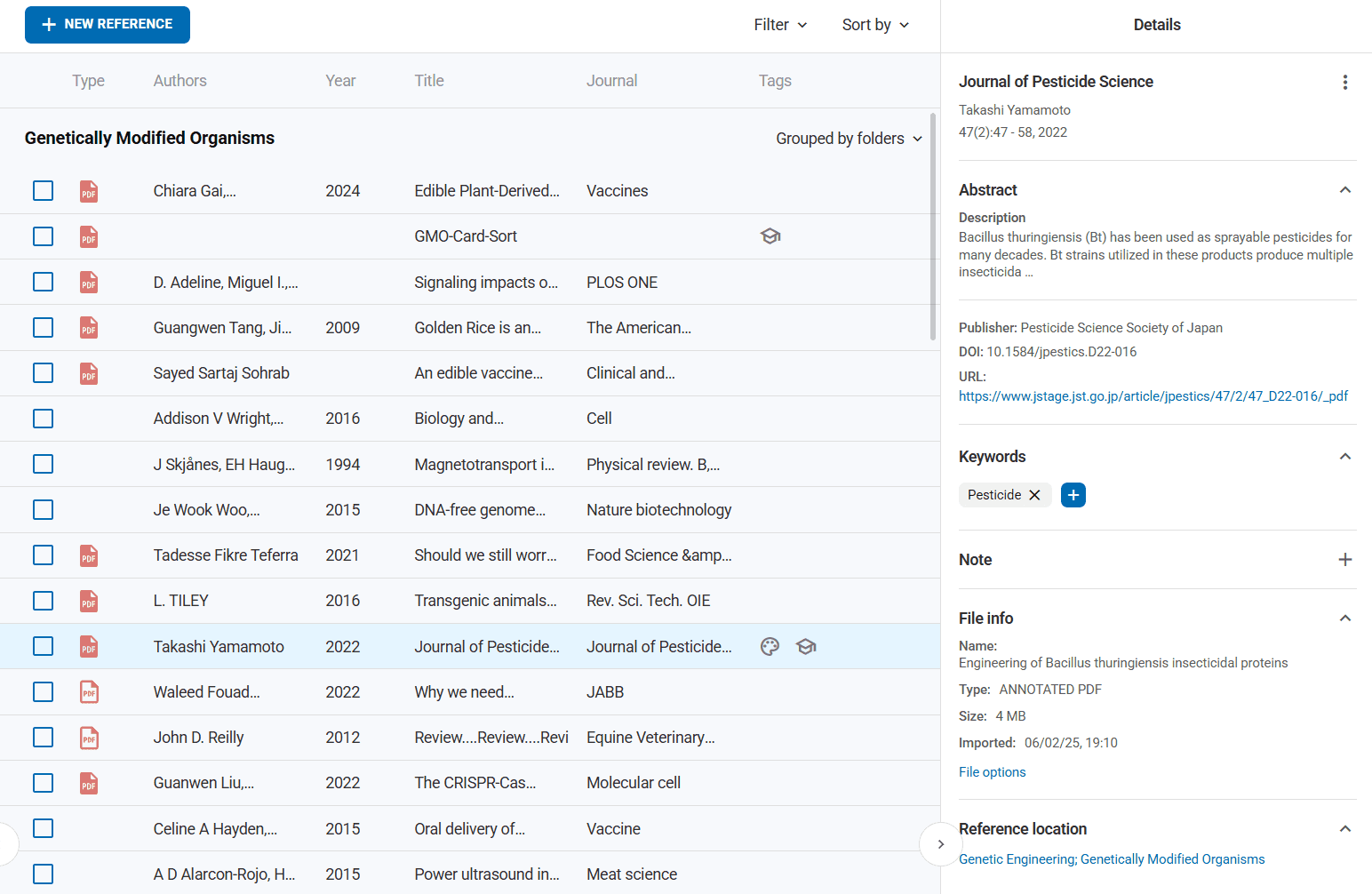
This additional metadata becomes searchable, making it easier to find sources based on their relevance to your current research needs rather than just bibliographic information.
Advanced Reference Management Features
Elumity provides sophisticated tools for managing complex citation requirements and research workflows.
Reference Linking and Relationships
References can be linked to PDF documents in your Files, creating connections between citation information and actual source materials. This linking appears as indicators in both the References module and document metadata panels.

Linked references enable direct access from citations to source documents, supporting verification of quotations and claims during writing and revision processes.
Duplicate Detection and Management
The system helps identify potential duplicate references, which is valuable when importing citations from multiple sources or when collaborating with team members who might add overlapping sources.
Review suggested duplicates carefully, as similar titles or author names might represent different sources, while genuinely duplicate entries should be merged to maintain library cleanliness.
Quality Control and Verification
Maintaining accurate reference information requires ongoing attention to detail and verification practices.
Citation Accuracy Verification
Regularly verify that your reference information is complete and accurate, especially for sources that will be cited in important publications. Check author names, publication dates, page numbers and DOI information against original sources.
Use DOI links when available to verify that citations point to correct sources, as DOIs provide permanent links that remain accurate even when publisher websites change.
Database Cross-Referencing
When possible, verify reference information across multiple databases. Compare OpenAlex and PubMed entries for the same source to ensure consistency and completeness of bibliographic information.
Pay particular attention to author name variations, publication date discrepancies and journal name formatting, as these can vary between databases and affect citation accuracy.
Collaborative Reference Management
Academic research often involves collaboration and Elumity's reference management system supports team-based citation practices.
Shared Reference Libraries
Group spaces include shared reference libraries where all team members can access and contribute citations. This shared approach prevents duplication of effort and ensures consistency in collaborative projects.
Establish team conventions for reference formatting, source verification and organization to maintain quality in collaborative reference libraries.
Reference Sharing and Distribution
Individual references can be shared with colleagues who aren't members of your group spaces, supporting broader academic collaboration and resource sharing.
Share high-quality, verified references with peers working in similar research areas to contribute to collective scholarship while building professional relationships.
Reference Management Best Practices
Developing effective reference management practices ensures long-term success in academic citation and research productivity.
Proactive Reference Collection
Add sources to your reference library as you encounter them during research, rather than waiting until you need to cite them in writing projects. This proactive approach ensures you capture complete citation information while you have access to sources.
Create reference entries even for sources you might not immediately cite, as they may become relevant for future projects or provide valuable context for understanding your research area.
Consistency and Standards
Maintain consistent practices for reference entry, including standardized approaches to author name formatting, keyword assignment and note-taking. This consistency makes your reference library more searchable and useful over time.
Follow discipline-specific conventions for citation practices, ensuring your reference management aligns with the expectations of your field and target publication venues.
Regular Library Maintenance
Periodically review your reference library to remove outdated sources, merge duplicates and update citation information for sources that may have changed status (such as preprints that become published articles).
Update reference information when you discover more complete or accurate bibliographic details, ensuring your citations remain current and comprehensive.
Integration with Knowledge Cards and Files
Reference management in Elumity connects seamlessly with other modules, creating a comprehensive academic workflow that maintains relationships between sources and insights.
Card-Reference Connections
Knowledge Cards can cite sources from your reference library, maintaining scholarly connections between your insights and their supporting materials. These connections support both the development of ideas and their verification during academic writing.
The reference system ensures that insights captured in cards remain properly attributed to their sources, supporting academic integrity throughout your research process.
Files-Reference Integration
Files can be linked to reference entries, creating bidirectional connections between actual source materials and their citation information. This integration supports both reference management and document organization.
Use these connections to verify citation accuracy and to locate source materials quickly when needed for writing or verification purposes.
Long-term Academic Success
Effective reference management creates a foundation for sustained academic productivity and scholarly credibility throughout your research career.
Building Scholarly Resources
A well-maintained reference library becomes a valuable scholarly resource that supports grant applications, literature reviews and new research projects. The time invested in quality reference management pays dividends across multiple academic activities.
Your reference library also serves as documentation of your scholarly engagement, demonstrating the breadth and depth of your academic reading and research.
Professional Development
Strong citation practices support professional credibility and contribute to your reputation as a careful, thorough researcher. Accurate citations demonstrate respect for other scholars' work while properly positioning your contributions within academic conversations.
Master-level reference management skills distinguish serious researchers and contribute to success in peer review, publication and academic career advancement.
Elumity's comprehensive reference management system transforms citation from a tedious administrative task into an integrated part of scholarly workflow. By mastering these tools and practices, you create a sustainable foundation for academic success that supports both current projects and long-term scholarly development.
Next Steps
Now that you understand Elumity's citation and reference system, explore related features:
- Using References: Learn advanced techniques for organizing and working with your reference library