Posting Cards to Discover Feed
Sharing Your Knowledge with the Community
Once you've created valuable Knowledge Cards, you might want to share your insights with other researchers and academics in the Elumity community. The Discover platform allows you to publish selected cards publicly, making your research summaries, methodologies and findings accessible to peers who might benefit from your work.
Publishing a Card to Discover
Publishing a card to Discover is straightforward and can be done directly from your card library or while editing a card.
From Your Card Library
Navigate to your Cards section and locate the card you want to share. Click the three-dot menu (ellipsis) on the card you wish to publish. Select "Post to Discover" from the menu options.
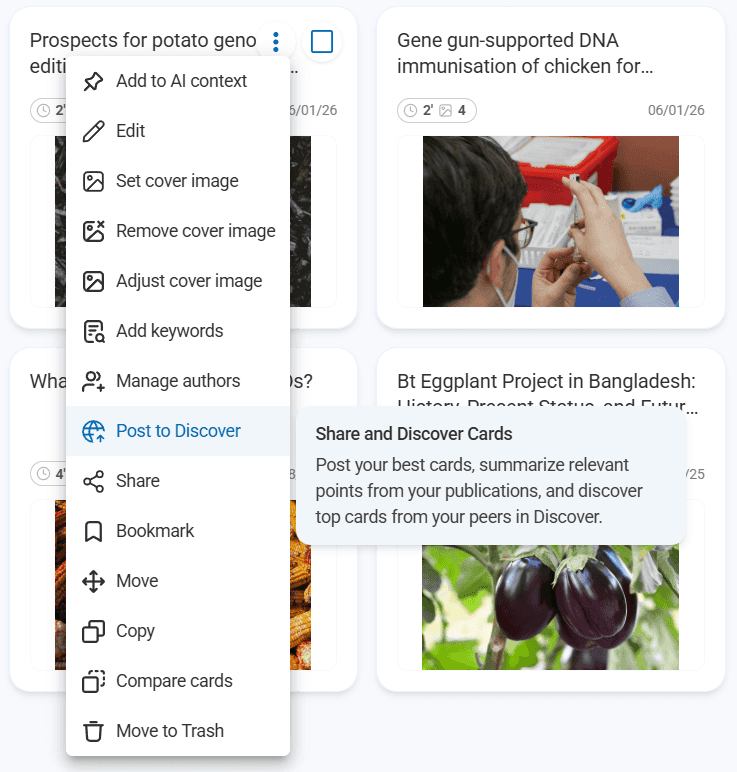
From Within a Card
While viewing or editing a card, you can also access publishing options through the three-dot menu in the upper right corner of the card editor. This allows you to publish cards immediately after creating them when you're confident they're ready for community sharing.
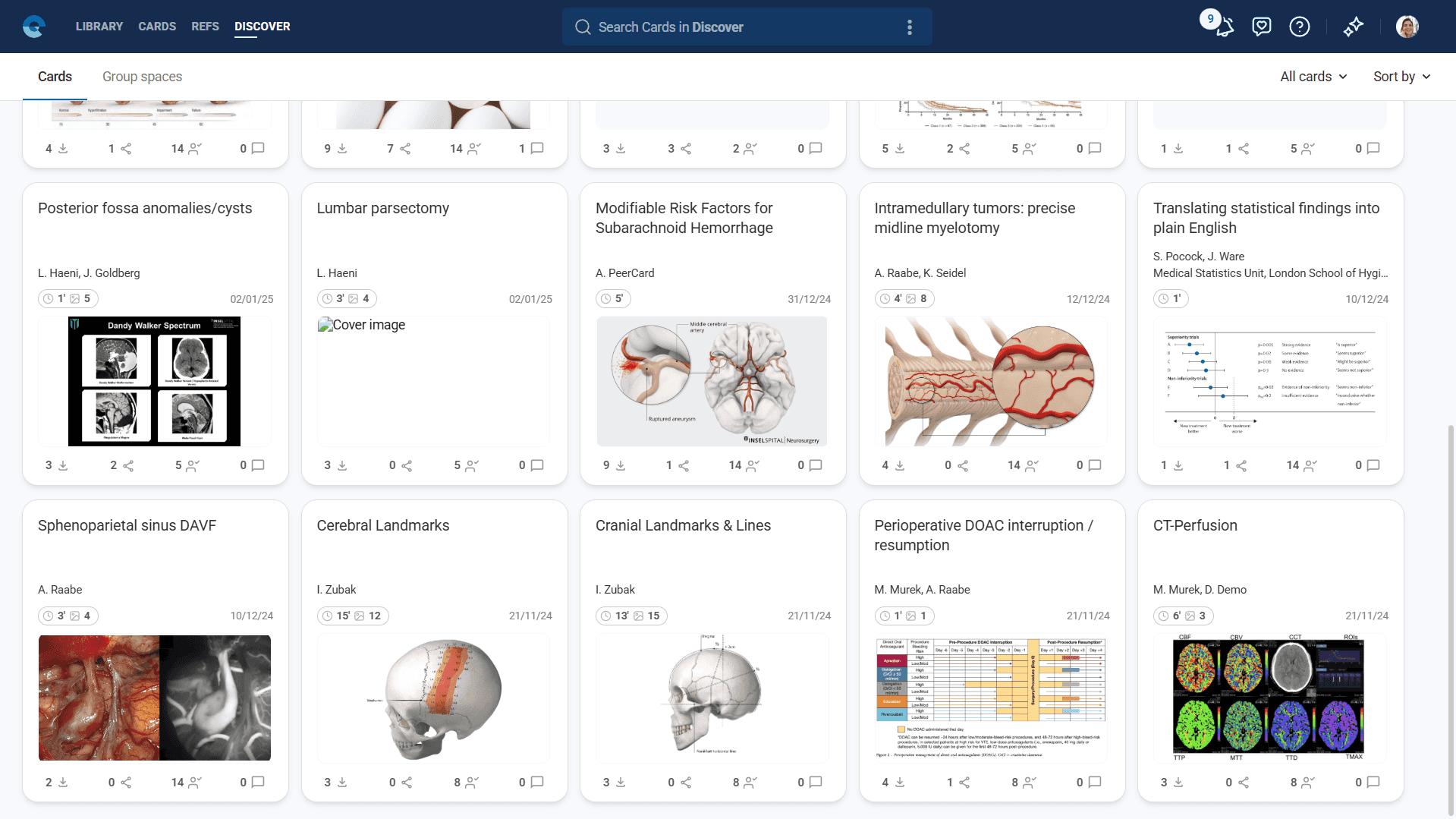
Once published, your card becomes part of the public Discover feed where other Elumity users can find, save and interact with your content.
What Happens When You Publish
When you post a card to Discover, it retains all its formatting, references and multimedia content. Other users can:
- View your complete card content
- Save your card to their personal libraries
- Recommend your card to their colleagues
- Follow you as an author for future updates
- Comment on your card for feedback and discussion
Quick Publishing Tips
Before publishing a card to Discover, consider:
- Content quality: Ensure your card provides clear, valuable insights that others can understand
- Citation accuracy: Double-check that all references are properly formatted and accessible
- Professional presentation: Use clear headings, proper formatting and relevant images
- Community guidelines: Make sure your content is appropriate for academic sharing
Managing Published Cards
After publishing, you maintain control over your cards. You can:
- Edit published cards and updates will appear in Discover
- Remove cards from Discover if needed
- Track engagement through saves
- Respond to community comments and feedback
Finding More About Discover
This covers the basic process of publishing cards to the community platform. For comprehensive information about using Discover to find cards from other researchers, engaging with the community, following authors and making the most of the collaborative features, see the Understanding Discover section of the Help Hub.
The Discover section provides detailed guidance on:
- Searching and filtering community content
- Building your research network through following and recommendations
- Participating in academic discussions through comments
- Finding and joining collaborative group spaces
- Best practices for community engagement
Next Steps
Now that you understand the basics of sharing cards, explore how to enhance your cards with other Elumity features:
- Working with Elumity AI: Use AI assistance to improve your cards before sharing
- Understanding Discover: Deep dive into the community platform features