Understanding Discover
What is Discover?
Discover is Elumity's community platform where researchers share Knowledge Cards publicly, enabling academic knowledge exchange beyond individual research teams. Think of it as a scholarly social network focused on research insights rather than personal updates.
The platform allows you to publish your best Knowledge Cards for peer review and feedback while discovering valuable insights from researchers in your field and related disciplines.
The Discover Interface
Navigate to Discover through the main navigation bar to access a feed of community-shared Knowledge Cards. The interface displays cards in a grid format showing titles, reading time estimates, publication dates and cover images.
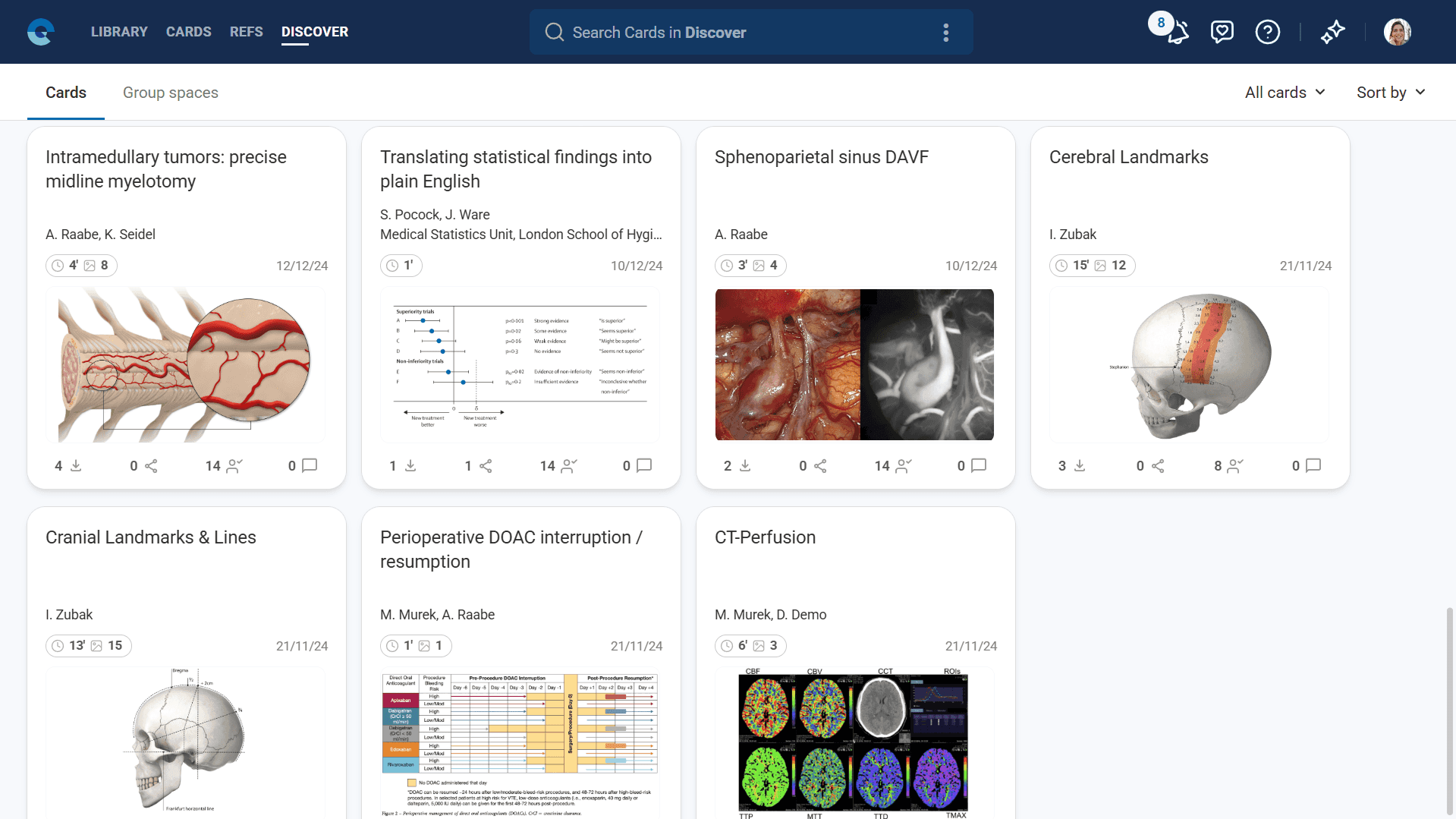
Each card displays essential information including the author's name, institutional affiliation when available and engagement metrics showing how the community has interacted with the content.
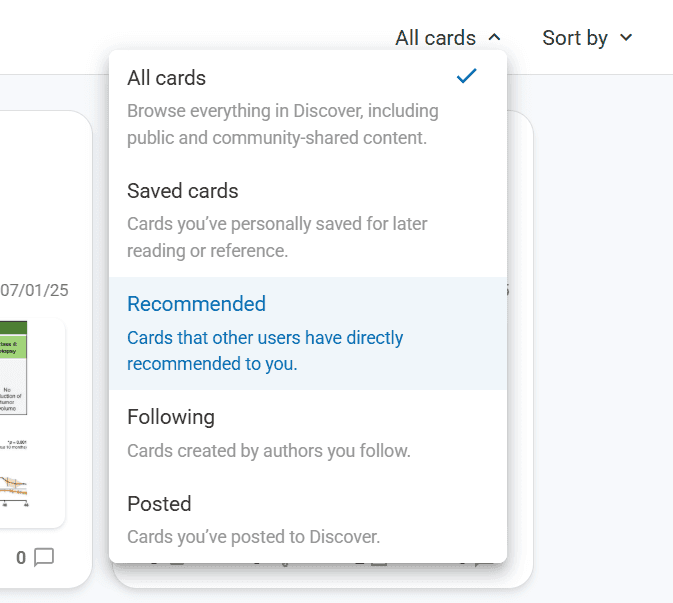
Content Discovery Options
Discover provides several viewing modes to help you find relevant content efficiently.
All Cards shows the complete community feed, sorted either by most recent publications or most popular based on community engagement.
Saved Cards displays cards you've bookmarked for future reference, creating your personal collection of valuable community insights.
Recommended Cards shows content that other users have specifically suggested to you, enabling direct peer-to-peer knowledge sharing.
Following displays cards from authors you've chosen to follow, helping you track insights from researchers whose work consistently provides value.
Posted shows cards you've published to the community, allowing you to monitor your own contributions and their reception.
Community Interactions
Discover enables several forms of academic engagement with community content.
Save cards to your personal library for future reference, creating a curated collection of valuable insights from across the research community.
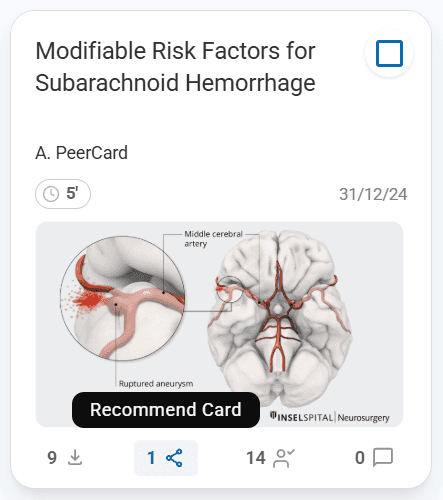
Recommend cards to colleagues by entering their email addresses, facilitating targeted knowledge sharing with specific peers who might benefit from particular insights.
Follow authors whose work consistently provides value, ensuring you see their future contributions while building your academic network.
Comment on cards to provide feedback, ask questions, or contribute additional insights that enhance the scholarly discussion around shared research.
Publishing Your Cards
Share your Knowledge Cards with the community through the "Post to Discover" option available in your Cards module. Published cards maintain all their formatting, references and multimedia content while becoming accessible to the broader research community.
Consider the academic value and completeness of cards before publishing, ensuring your contributions meet scholarly standards appropriate for public academic discourse.
Group Spaces Discovery
Beyond individual cards, Discover includes a Group Spaces section where you can find collaborative research environments open to new members.
Browse available group spaces by research topic, methodology, or institutional affiliation to identify collaborative opportunities that match your academic interests.
Contact space administrators before requesting to join to ensure your research interests align with the group's objectives and collaboration style.
Building Your Research Network
Use Discover strategically to build professional relationships with researchers whose work complements your academic interests and career development goals.
Follow authors whose research approaches, theoretical frameworks, or subject matter expertise provide ongoing value for your research activities.
Engage thoughtfully with community content through comments and recommendations, contributing to scholarly discussions while building your reputation as a thoughtful participant in academic discourse.
Discover transforms individual research insights into community knowledge resources while supporting professional networking and collaborative research development across the broader Elumity research community.
Next Steps
Now that you understand the Discover platform, explore the help hub to learn more about collaborating and contributing effectively to the community.