Introduction to Elumity
Welcome to Your Extended Mind
Elumity is more than just document storage – it's your comprehensive academic productivity platform designed to extend your cognitive capabilities. Built specifically for researchers, medical professionals, students and life science practitioners, Elumity transforms how you interact with knowledge by seamlessly connecting research, understanding and creation.
The Elumity Philosophy: Extend Your Mind, Not Your Storage
Traditional tools force you to jump between disconnected applications – reference managers, note-taking apps, PDF readers and writing software. Elumity eliminates this fragmentation by creating an integrated ecosystem where your research materials, extracted knowledge and written outputs maintain their relationships throughout your entire workflow.
Core Modules Overview
Elumity organizes your academic productivity into five interconnected modules:
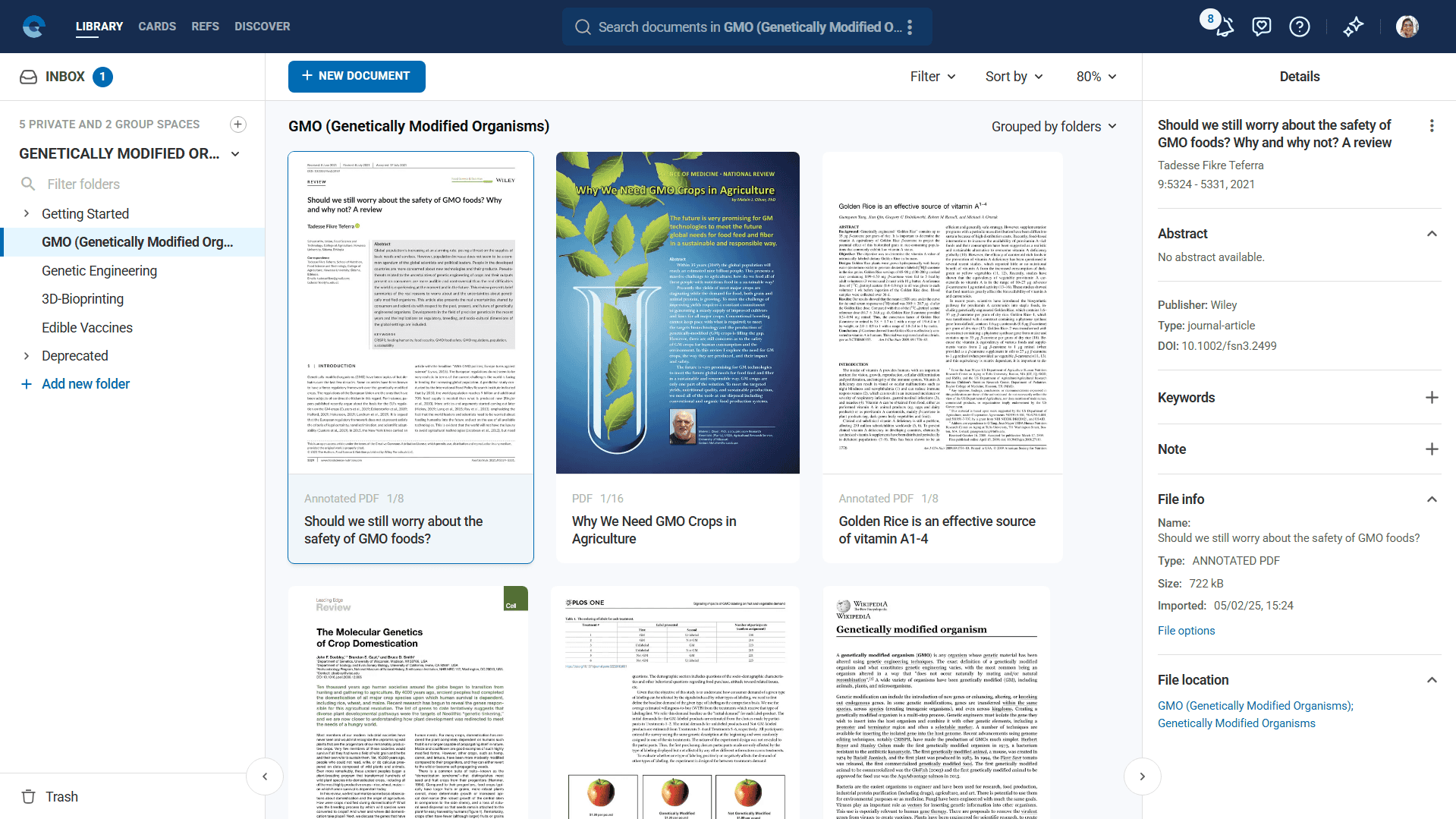
Files
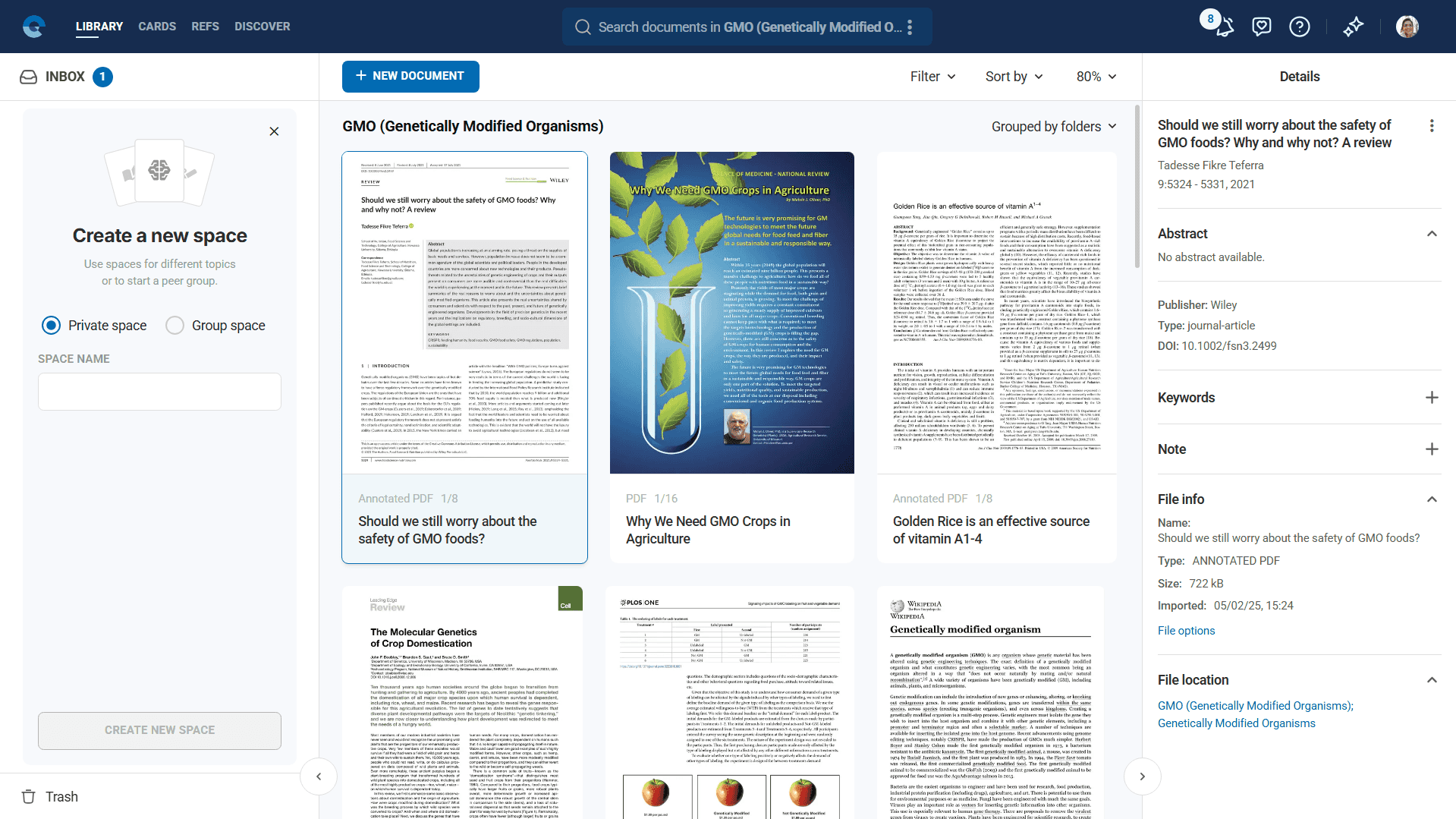
Your centralized document management system that handles multiple file formats including PDFs, Word documents, PowerPoint presentations, images and videos. The Files also features unique web page import capabilities, converting URLs directly into PDFs for permanent archival.
References
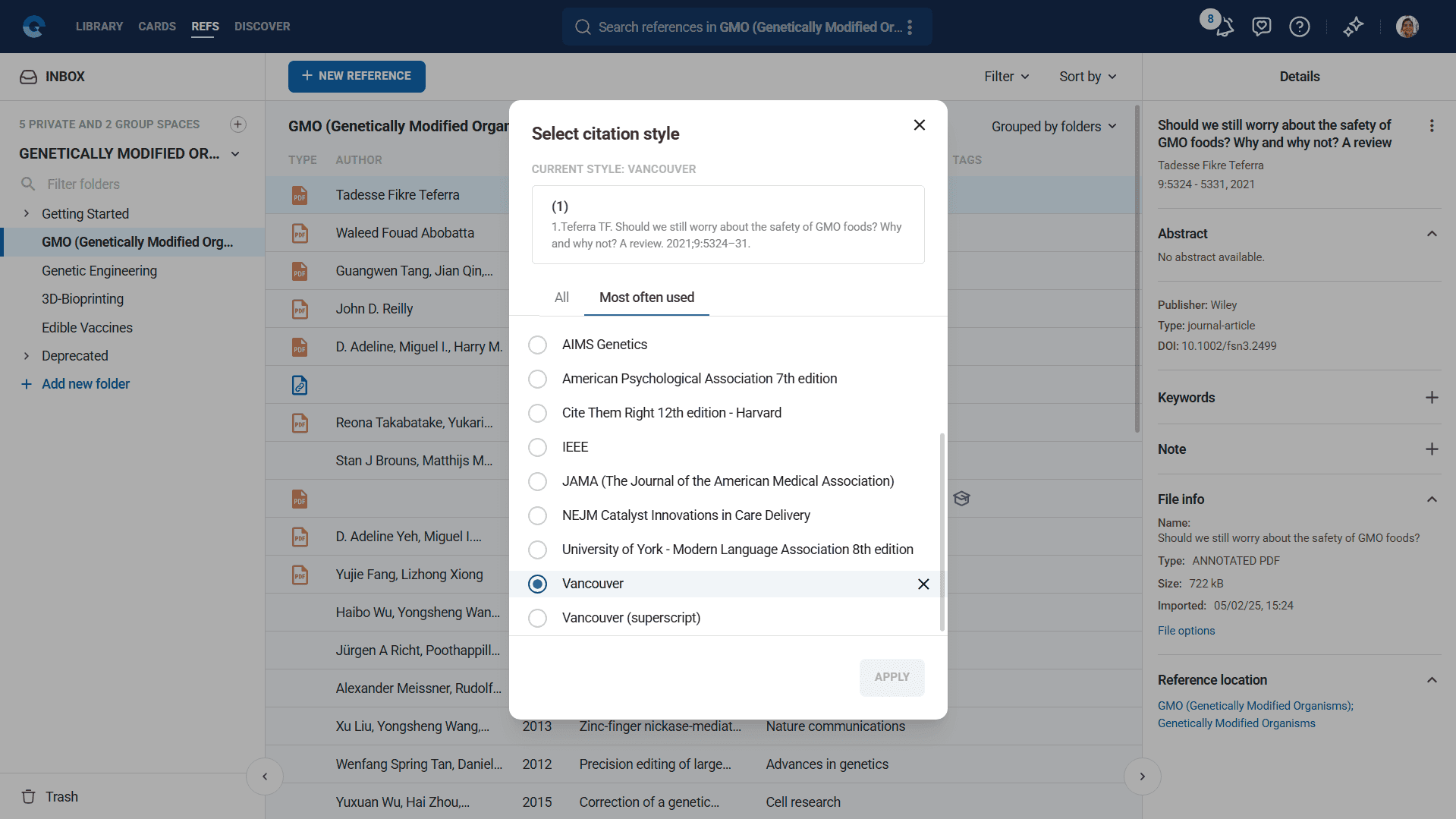
A professional reference management system with access to over 10,000 citation styles and direct integration with academic databases including OpenAlex and PubMed. Import references from BibTeX and RIS files, or search databases directly within Elumity.
Cards
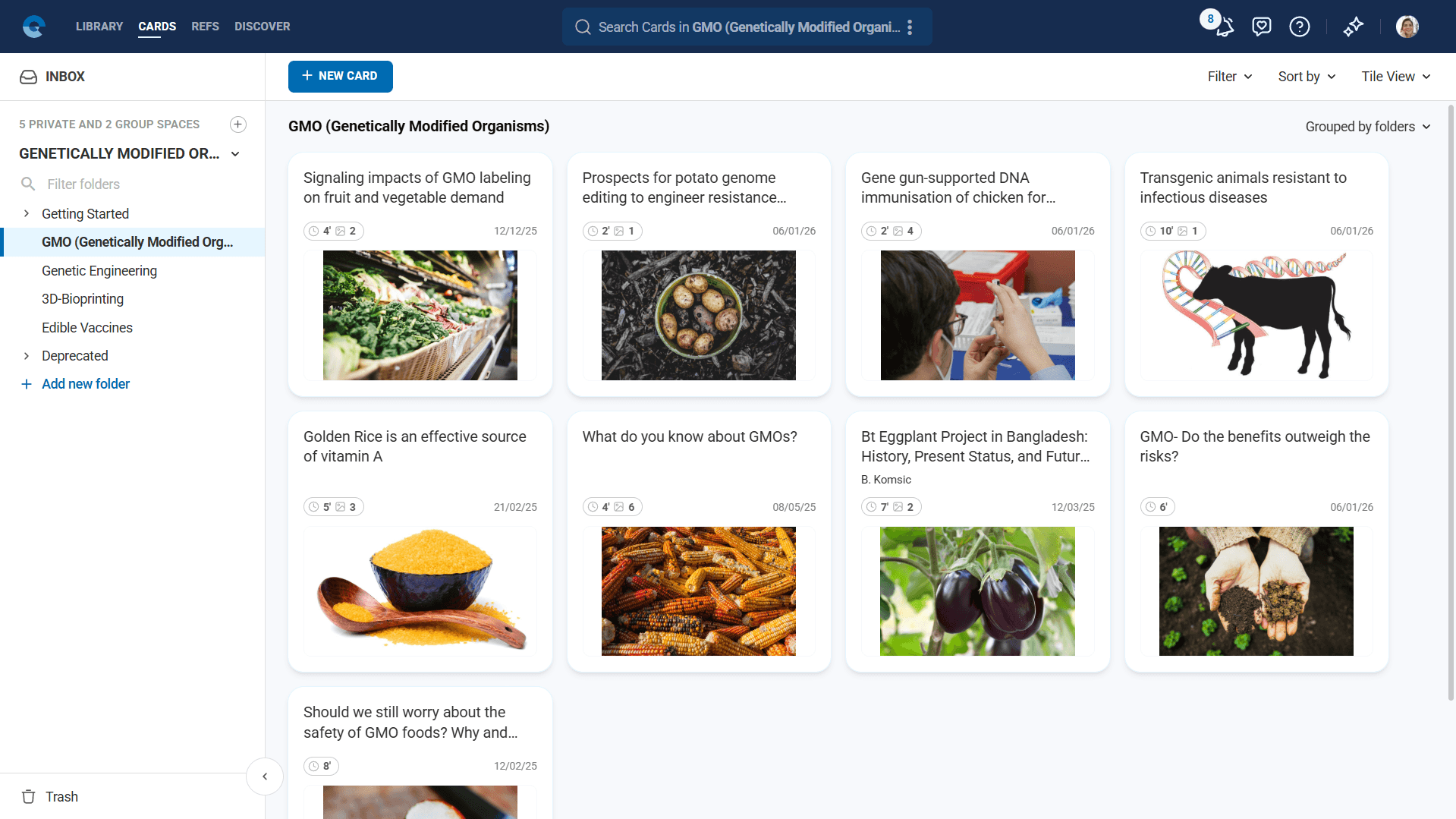
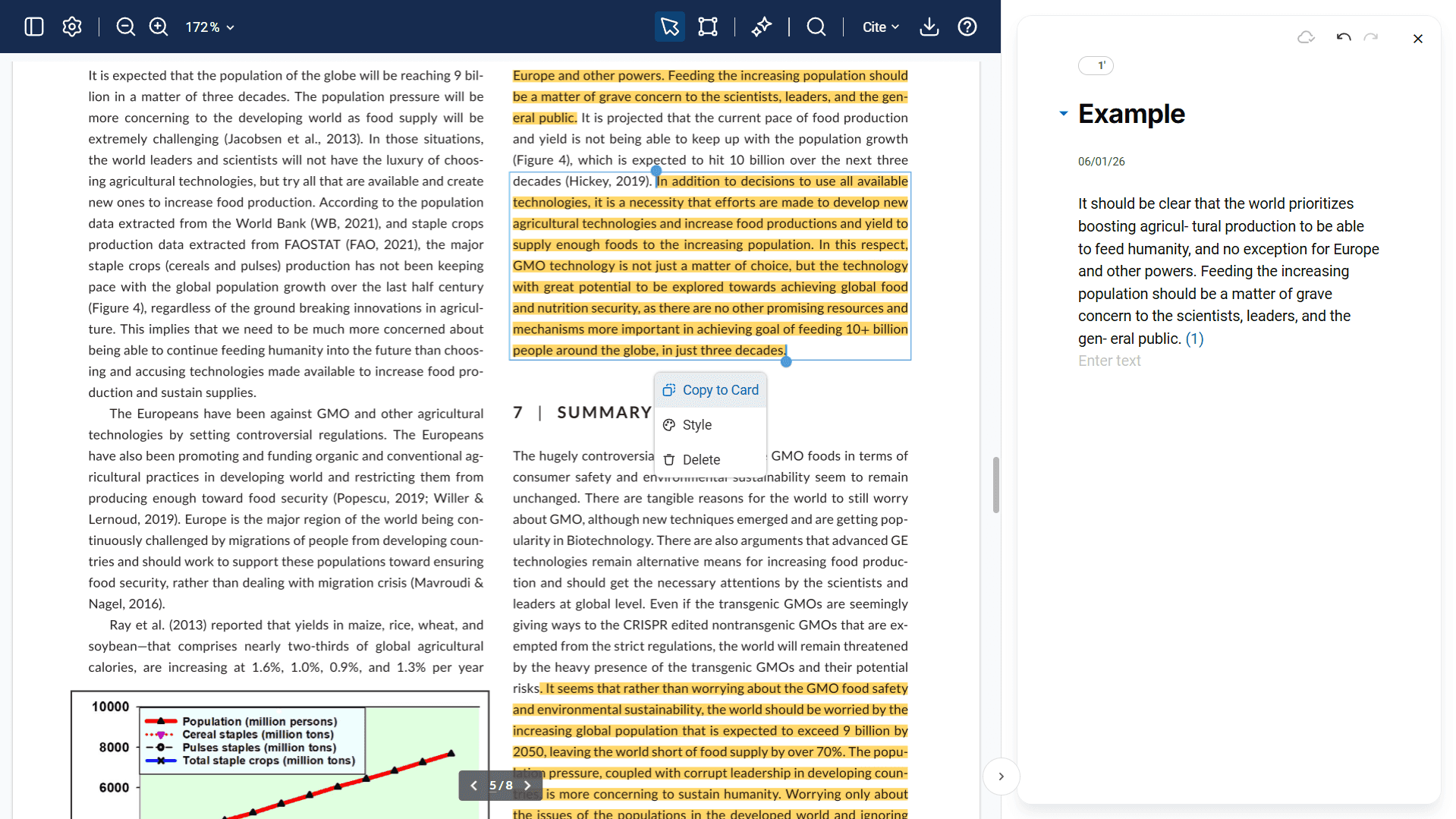
Elumity's signature knowledge distillation feature. Cards allow you to extract, organize and enhance information from your research materials using AI-powered writing assistance, multimedia support and direct integration with your PDF reading workflow.
Revolutionary Workflow Integration
What sets Elumity apart is how these modules work together:
- Read documents in the advanced PDF viewer while simultaneously creating Knowledge Cards
- Extract key insights using AI-powered tools and direct text-to-card copying
- Connect all content to proper academic references and citations
- Share your knowledge with collaborators and the broader academic community
Key Capabilities
Intelligent Document Management
- Multi-format support: Upload and organize Word documents, PDFs, presentations, images and videos
- Web archival: Convert any webpage into a permanent PDF for your library
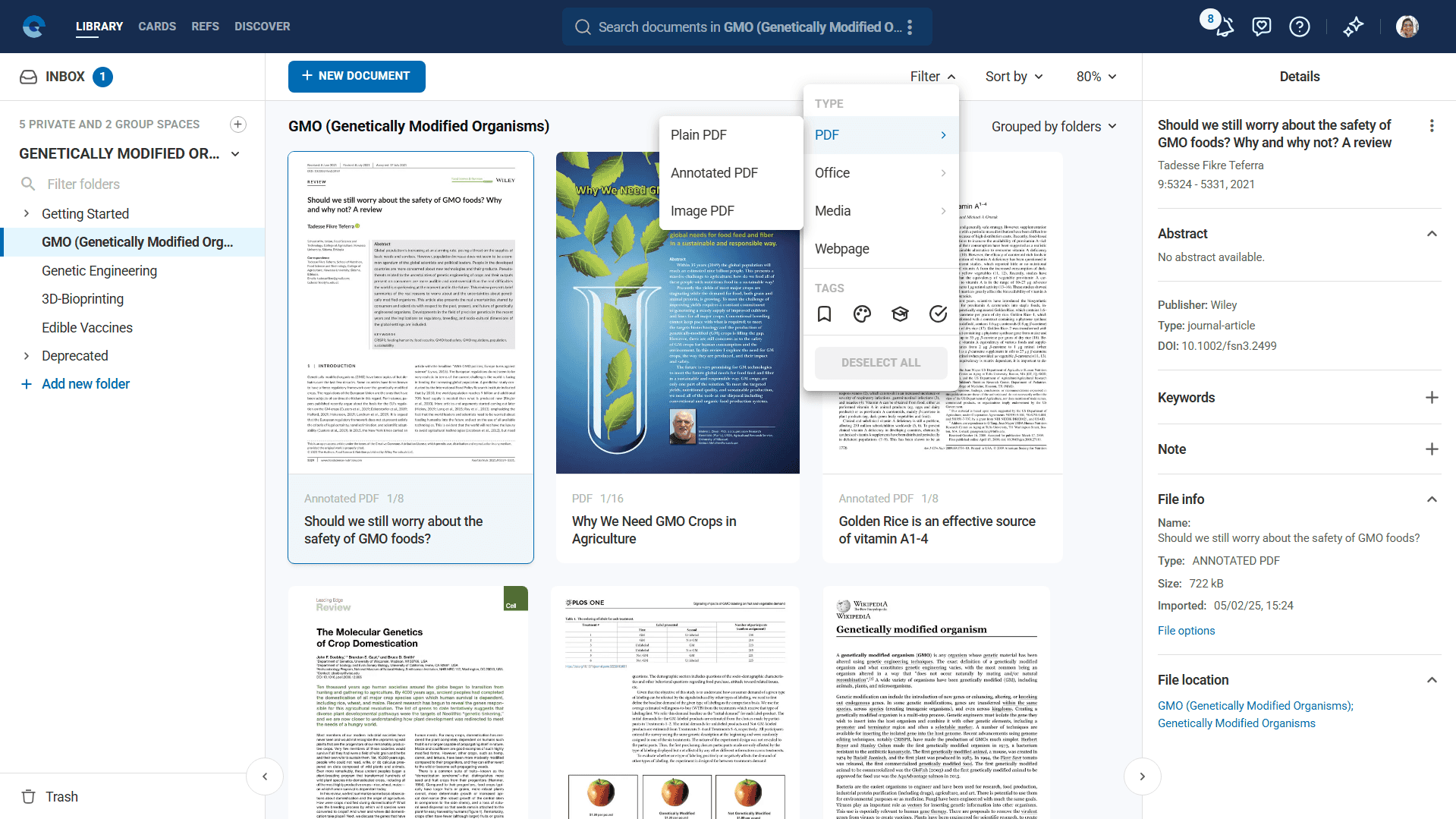
- Advanced filtering: Sort and find documents by type, tags, creation date and content
- Batch operations: Merge PDFs, bulk move documents and perform mass operations
- Smart organization: Hierarchical folder structures within private and group workspaces
Professional Citation Management
- 10,000+ citation styles: Including APA, Chicago, IEEE, JAMA and specialized academic formats
- Database integration: Direct search and import from OpenAlex, PubMed and other academic databases
- Reference linking: Connect citations to actual documents in your library
- Export flexibility: BibTeX, RIS and formatted citation export options
Collaborative Research Environment
- Group workspaces: Shared spaces for team research projects
- Document sharing: Secure file distribution with access controls
- Knowledge exchange: Share Cards and insights with team members
- Community engagement: Participate in the broader Elumity research community
Getting Started with Elumity
Step 1: Set Up Your Workspace
- Create your account on elumity.com using your institutional or personal email
- Create your first private space for organizing your research area
- Add folders to structure your content by topic, project, or course
Step 2: Import Your Research Materials
- Upload files using the "New File" button in the Files
- Import web content by pasting URLs to convert webpages to PDFs
- Add references from academic databases or import existing citation libraries
- Organize content using Elumity's tagging and folder systems
Step 3: Start Creating Knowledge Cards
- Open a PDF in Elumity's advanced viewer
- Create your first Card using the sidebar panel
- Extract key insights by selecting text and using "Copy to Card"
- Enhance with AI using built-in writing assistance tools
Ready to Transform Your Research Workflow?
Elumity represents a fundamental shift from passive document storage to active knowledge creation. By integrating reading, understanding, creating and sharing into one seamless platform, Elumity helps you not just manage information, but transform it into actionable knowledge.
Start your journey today by creating your first Knowledge Card from a research document, or explore our Getting Started guide for step-by-step onboarding assistance.
Need Help?
- Frequently Asked Questions: Common questions and quick solutions
- Glossary: Understand Elumity terminology
- User Settings, Security and Backup: Account management and data protection
- Contact Support: Reach our team for personalized assistance